Base material
Polyester or polycarbonate constructions can be considered according to the project requirements.
GRAPHICS AND IDENTIFICATION
Create a durable visual interface for your equipment with project-specific graphics, windows, embossing, cut-outs and adhesive backing.
PRODUCT OVERVIEW
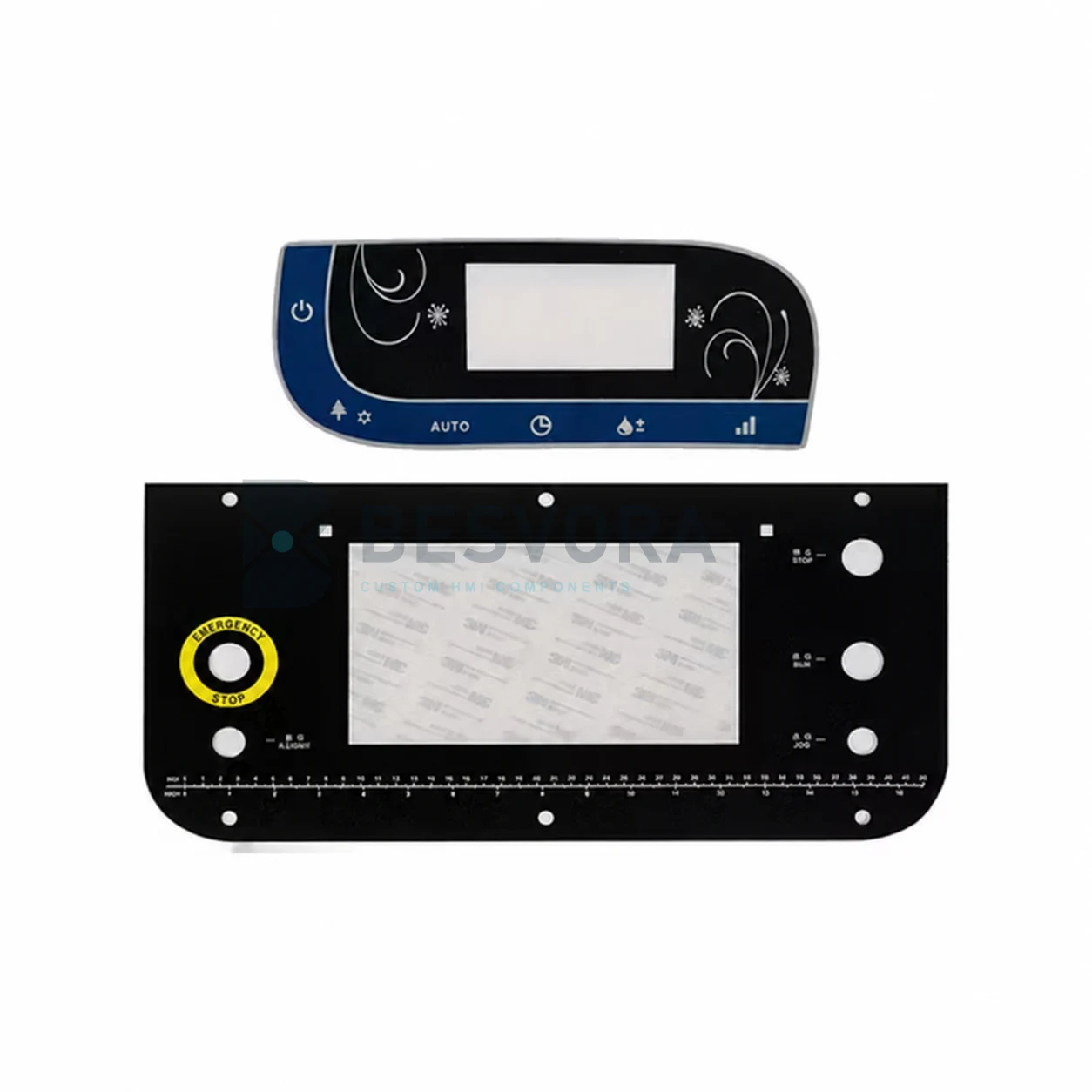
A graphic overlay is the printed front surface of an equipment interface. It can identify controls, protect the underlying panel and provide windows, cut-outs or embossed areas while remaining separate from the electronic switching circuit.
The overlay needs to match the enclosure, display openings, control positions, viewing requirements and expected handling. Artwork and mechanical details are therefore reviewed together before a prototype is produced.
A graphic overlay page describes the printed fascia itself. Membrane switch circuits, electronic controls and complete enclosures are separate project elements unless they are included in an agreed assembly scope.
STARTING INFORMATION
You do not need every answer before contacting us. Send what is available and the missing items can be identified during clarification.
Overall dimensions, cut-outs, hole locations, radii and tolerance-critical areas.
Logos, legends, colours, symbols and required print hierarchy.
Substrate material, shape and any areas where adhesive must be excluded.
Cleaning, handling, viewing and environment information relevant to material selection.
APPLICATIONS
Suitability depends on the final construction, equipment interface and customer validation.
COMMON QUESTIONS
An overlay is the printed fascia. A membrane switch adds switching and circuit layers beneath the graphic surface.
Yes. Window areas, cut-outs and embossing can be coordinated with the panel drawing and artwork.
An existing sample, drawing or high-quality reference can be reviewed. Colour and fit still need to be approved through the project sampling process.
DISCUSS YOUR PROJECT
Start with a short description of graphic overlays. Drawings or confidential files can be shared later through business email, WhatsApp or another agreed channel.
Project questions
Clear starting information helps us review the application, identify open points and prepare the next practical step.
Provide the panel outline, window and cut-out positions, artwork or brand requirements, equipment use, operating environment, expected quantity and any existing drawing, photo or sample.
Artwork, colours, legends, transparent or tinted windows, surface finish, texture, embossing, adhesive zones and material selection can be reviewed against the equipment and application.
Colour references, artwork files and window requirements are reviewed before a prototype or production version is approved. Critical visual requirements should be identified in the project specification.